


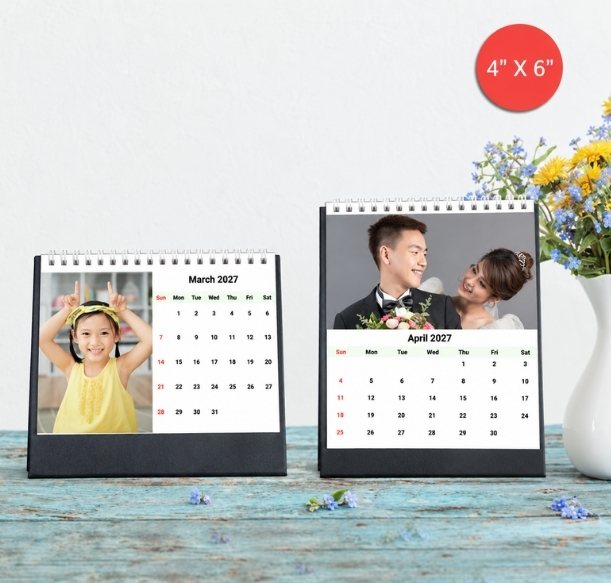


A practical photo selection and design guide for families and couples
Personalised desk calendars in portrait and landscape layouts
To make a travel photo calendar, choose a desk or wall format, shortlist a main photograph for each of the twelve months and arrange the images into a sequence you will enjoy seeing throughout the year. Upload the best available files, check every crop and review the calendar dates before placing your order.
You do not need twelve holidays to fill twelve months. One family trip, a honeymoon or a collection of weekends away can provide enough variety. The trick is to choose pictures that show different parts of the experience, rather than twelve versions of the same view.
If you are making a calendar for 2027, start by deciding where it will live and who will use it. That decision will help you choose the format, the photographs and the details worth adding.
Table of Contents
- Choose where your travel calendar will be displayed
- Gather the original holiday photos before choosing twelve
- Use one trip to build twelve different monthly memories
- Keep the people and the place in the crop
- Add captions that will mean something next year
- Check the starting month and Singapore dates
- Review the calendar as a gift before you order
- Frequently asked questions
- Choose the photographs you want to see all year
Choose where your travel calendar will be displayed
A calendar beside a laptop has a different job from one shared by the family at home. Measure the available space first, then browse the Photojaanic personalised calendar collection.
| Where you want to use it | Format to consider | What to check before designing |
|---|---|---|
| A work desk, study table or bedside surface | Personalised desk calendars | Space for the standing calendar, viewing distance and the selected photo layout |
| A wall where the family will see it regularly | Photo wall calendars | Available wall space, hanging position, format and readability from that position |
| A wall display built around one favourite photograph and a full-year layout | Photo poster calendars | The balance between the photograph and the year-at-a-glance calendar |
The current desk-calendar selector lists 4×6, 4×10, 4×10 Split and 6×8-inch options. Portrait or landscape availability depends on the chosen design; the split feature is described for the 4×10 landscape calendar. If you want a wide photograph beside the date area, inspect that layout before selecting your images.
The photo wall calendar lists A4 Portrait, A4 Landscape, A3 Portrait, A3 Landscape and 9×11-inch formats. A3 gives the overall calendar more space than A4, but the size of the photograph within it still depends on the design.
Do not choose a format only because your favourite photo is wide. The image area may have different proportions from the complete calendar page. Check how that photograph fits the selected layout.
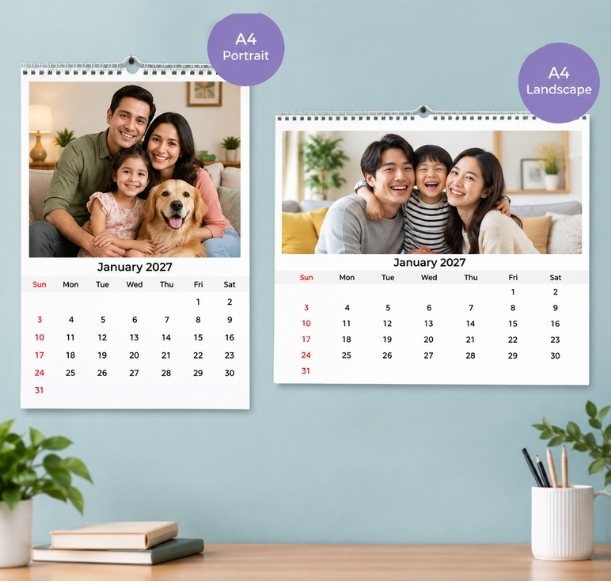
A4 portrait and landscape photo wall calendar examples
Gather the original holiday photos before choosing twelve
Create one folder for the calendar and collect pictures from everyone who took part in the trip. Ask family members or your partner to share the original or highest-quality files available, rather than screenshots of the photographs.
Start with a wider shortlist so you have alternatives if a picture does not fit. Include people, wider views and the details you would otherwise forget: the breakfast table, a favourite shopfront or the train journey between destinations.
Check similar photographs together. A small change in expression may matter more than a slightly different background. For a family group, look at everyone before choosing the frame. A sharp landmark photograph will not replace the picture of the people who made the holiday special.
Keep a few alternatives in the folder. You may find that a portrait works well in one theme while a wider picture suits another. It is easier to swap an image during the preview than to search through several phones again.
Use one trip to build twelve different monthly memories
Choose a main image for each month as a starting plan. If your selected design includes a cover or a collage, prepare the extra images it needs. Twelve main photographs are a useful organising method, not a limit that applies to every template.
The example below works for a single trip. Replace the suggestions with moments from your own holiday.
| Month | Photograph to look for | Why it earns a place |
|---|---|---|
| January | A wide view that introduces the destination | Opens the calendar with a sense of place |
| February | A photograph of you together | Brings the people into the story |
| March | A favourite meal or market detail | Adds a memory beyond the main sights |
| April | A family or group photograph | Includes the people who shared the trip |
| May | A street, building or landscape you kept returning to | Shows what made the destination distinctive |
| June | An activity everyone remembers | Gives the calendar some movement |
| July | A quieter moment between outings | Adds a change of pace |
| August | A small detail such as a shop sign or train window view | Preserves something easy to overlook |
| September | A candid photograph that still makes you smile | Keeps the selection personal |
| October | A different perspective on a favourite location | Adds variety without needing another destination |
| November | A photograph chosen by your partner or child | Makes room for another person’s favourite memory |
| December | The image you most want to see again | Ends the year with a meaningful favourite |
The display month does not have to match the month when the photograph was taken. A photo from your April 2026 holiday can appear on a June 2027 calendar page. If you add a caption, use the actual trip date so the memory stays accurate.
For a calendar covering several trips, you can group photographs by journey or alternate destinations. Before uploading, review the complete selection as small thumbnails. If several consecutive images look almost identical, replace one with a different subject or viewpoint.
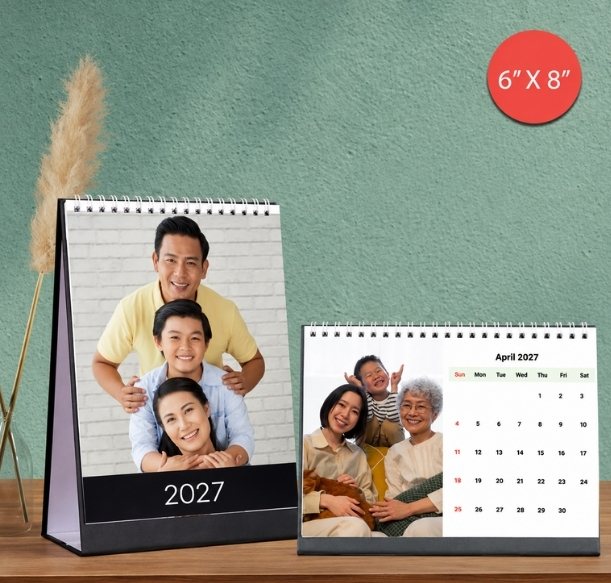
6×8-inch photo desk calendar examples
Keep the people and the place in the crop
A photograph that looks good on your phone can lose an important detail when placed inside a calendar image box. Check the edges after placing each picture, especially when switching between portrait and landscape layouts.
For a wide family group, look at the people on both ends. For a couple portrait, check the space around heads and hands. For a landscape, decide which feature matters most: the mountain, the building or the person standing in front of it.
If the crop removes the part you care about, try another layout or another photograph. Do not squeeze a wide image into a narrow box by stretching it. A simpler single-image layout can work better than a busy collage when faces would otherwise become too small.
Check the source file as well as the crop. Soft focus, heavy compression or strong digital zoom may become more noticeable when the image is enlarged. Using a smaller image area can help with some files, but it cannot recover missing detail.
Add captions that will mean something next year
Keep captions short enough to read in the chosen design. A destination and the actual trip year may be all you need. A detail such as “Our first morning in Penang” can bring back more than a long description of the entire itinerary.
For a shared family calendar, ask each person to choose a favourite photograph or a short caption. A child may remember the playground more clearly than the famous landmark. That difference can make the calendar feel like the family’s trip rather than one person’s highlights.
Avoid filling every available space with decoration. The photograph, month and dates should remain easy to read. If you add text over an image, check the contrast against the actual part of the picture behind it.
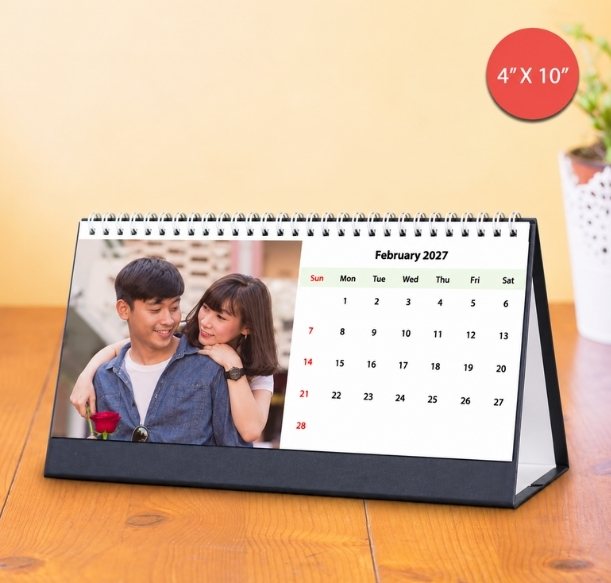
A 4×10-inch photo desk calendar
Check the starting month and Singapore dates
Photojaanic’s desk and photo wall calendar pages describe the option to start from a month other than January. Check the selected month and the complete date range in your design. A calendar starting later in 2027 will continue into the following year.
For a January-to-December 2027 gift, confirm that range before arranging every page. If you are creating an anniversary gift after returning from a trip, a different starting month may be more useful.
The product pages also list local holiday indications and the option to personalise important dates with photos or text. Review the actual calendar preview before ordering. For Singapore public holidays, use the Ministry of Manpower’s official 2027 public holiday list as your reference. Check school events and family commitments against the relevant calendars rather than assuming a public holiday is also a school holiday.
If you mark a future trip, distinguish a booked date from an idea you are still considering. Keep passports, booking references and other private travel details out of the printed design.
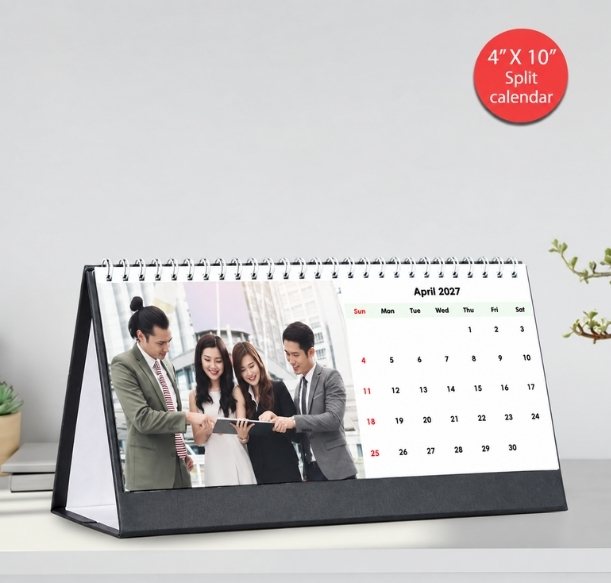
The 4×10-inch split desk calendar
Review the calendar as a gift before you order
Think about the recipient when making the final selection. A couple may want photographs of the journey together. Grandparents may prefer more pictures of the family who travelled. Use those preferences to decide which images deserve the largest spaces.
Before checkout, check:
- The selected product, format and orientation match the display space.
- The starting month, year and final month are correct.
- All monthly photographs and any cover image are in place.
- Crops preserve faces, important details and the intended composition.
- Captions, place names, personal dates and holiday indications have been reviewed.
- The quantity, any offer conditions, shipping, applicable taxes and final payable total are clear.
- The current delivery estimate suits the date you want to give the calendar.
Review again after your last change. Replacing a photo or switching the size can alter the crop. For Christmas or New Year gifting, use the delivery estimate for your actual order rather than relying on a general seasonal promise.
Frequently asked questions
How many photos do I need for a travel calendar?
Start with twelve main photographs for a monthly desk or photo wall calendar. Keep alternatives and add any extra images required by your chosen cover or collage layout. A poster calendar uses a different full-year layout, so check that design separately.
Can I make a calendar from just one holiday?
Yes. Choose a mixture of people, locations, activities and small details from the trip. Each month can show a different part of the same holiday; you do not need twelve destinations.
Should I choose a desk calendar or a wall calendar?
Choose around the display space and who will see it. A desk format suits a personal workspace or table. A photo wall calendar suits a shared display and offers A4, A3 and 9×11-inch format choices on the current product page.
Can my 2027 calendar start after January?
The desk and photo wall calendar pages describe start-month customisation. Check the available setting and review the full date range in your selected design, including any months that fall in the following year.
Can I add birthdays and anniversaries?
The desk and photo wall calendar specifications list personalisation of date boxes with photographs or text. Keep reminders brief and check that the date remains readable in the final layout.
Can I use phone photos for my travel calendar?
Use the original or highest-quality versions available and inspect them in the selected image areas. Check focus, compression and cropping before ordering; the fact that a photo came from a phone does not by itself determine whether it will work well.
Choose the photographs you want to see all year
Start with the trip, choose the pictures and then build the calendar around the place it will be displayed. Explore personalised calendars in Singapore, choose a photo desk calendar for your workspace or create a wall calendar with your holiday photos.
If you are choosing a keepsake for your partner, Photojaanic’s personalised travel gift ideas for couples offer other ways to use photographs from the same journey.






Be the first one to comment