




Start with 4×6 for a photo album, 5×7 for a small framed picture, 8×10 for a larger portrait, and square prints for a square composition or display. Then check the space you have and how your photo will fit the shape. A bigger print is only useful if the image has enough detail and the crop keeps what matters.
You might be filling an album after a family holiday, choosing a graduation photo for your desk or arranging a few pictures at home. Each needs a slightly different decision. This guide helps you choose the size before you upload.
You can compare the available formats on Photojaanic’s Photo Printing Singapore page.
Photo print sizes in inches and centimetres
The table below covers the sizes currently listed for classic Photo Prints and Square Prints. Measurements describe the outside of the print; any border reduces the space available for the picture itself.
| Print size | Dimensions in cm | Portrait shape | A useful starting point for |
|---|---|---|---|
| 4×6 inches | 10.16 × 15.24 | 2:3 | Album pockets and everyday prints |
| 5×7 inches | 12.70 × 17.78 | 5:7 | Small desk frames and gifts |
| 8×10 inches | 20.32 × 25.40 | 4:5 | Larger portraits and framed displays |
| 8×12 inches | 20.32 × 30.48 | 2:3 | A larger print with the same shape as 4×6 |
| 12×16 inches | 30.48 × 40.64 | 3:4 | A larger feature picture |
| 4×4 inches | 10.16 × 10.16 | 1:1 | Square compositions and small displays |
| 2.4×2.4 inches | About 6.10 × 6.10 | 1:1 | Compact square collections |
The rectangular sizes can also be used in landscape orientation. Turning a 4×6 print sideways gives you a 6-inch-wide picture, without changing the amount of paper.
See how the sizes compare
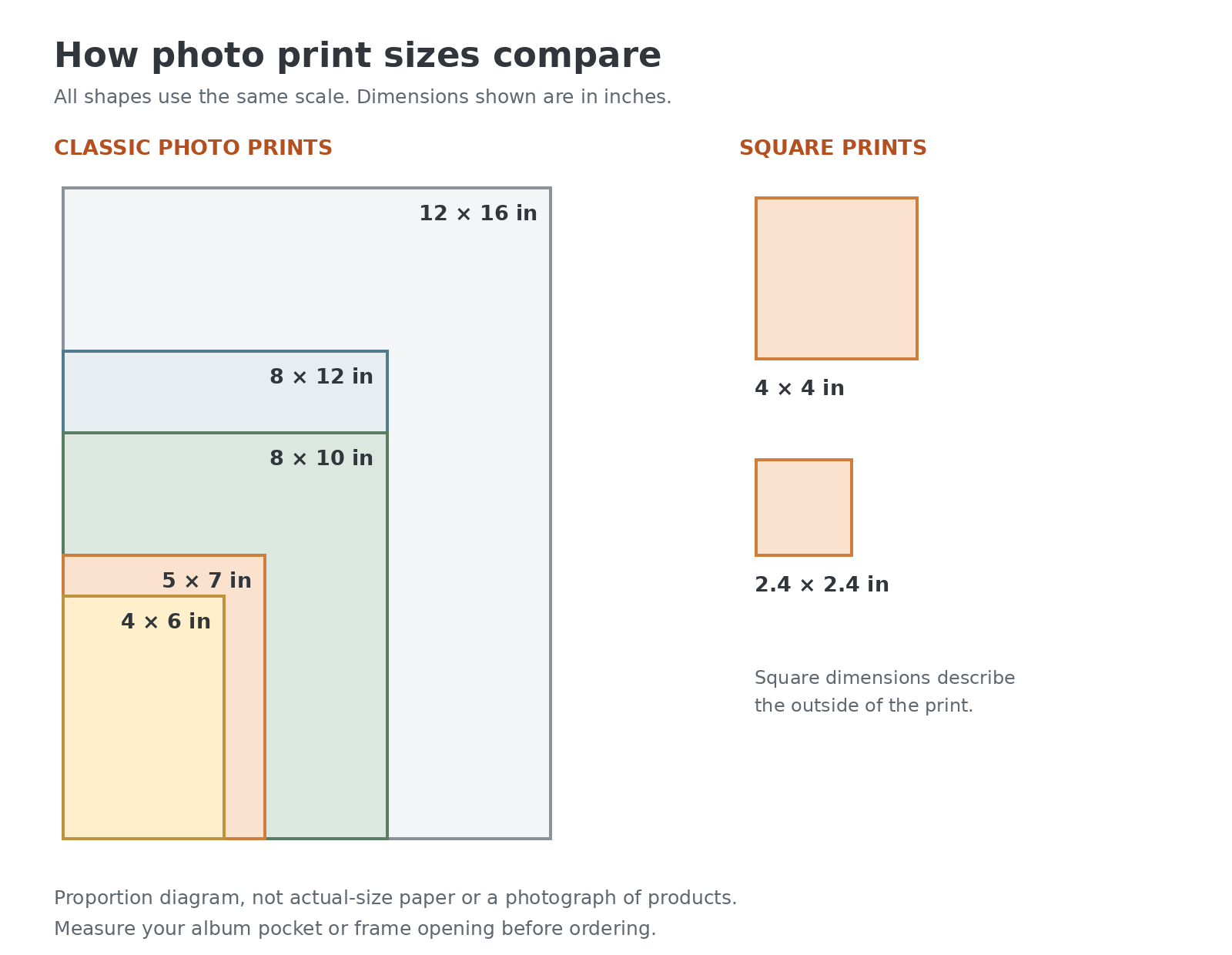
The diagram uses one scale for every shape, so it shows their relative dimensions. It is an illustration, not a photograph of printed products or a guide to actual on-screen size.
4×6 prints: a practical choice for albums
If you have an album with 4×6 pockets, the decision is straightforward: choose a print that fits those pockets. This size is also known as 4R.
It gives you a manageable format for a collection of family photos, travel pictures or birthday snapshots. Before ordering a batch, measure a pocket in the album you actually plan to use. “Standard album” is not a precise measurement.
A 4×6 print has a 2:3 shape in portrait orientation, or 3:2 in landscape. Photos with a matching shape need no aspect-ratio change, although the final preview and any trimming still need checking.
Find this size under 4×6 photo prints.
5×7 prints: a little more room for one favourite photo
A 5×7 print is worth considering when you want a photograph to stand on its own. It could be a graduation portrait on your desk, a family picture beside the bed or a small framed gift.
The shape is different from 4×6. Selecting 5×7 is not simply enlarging the same rectangle, so a photo that fits neatly at 4×6 may need another crop.
Check the frame’s photo opening before ordering. The dimensions of the frame’s outer edge can be much larger than the space where the picture sits.
Select 5×7 on the classic photo print sizes page.
8×10 prints: make room for the image and the frame
An 8×10 print gives you a larger picture to display. It is a useful option for a portrait or a photograph you want people to notice when they enter a room.
Start by checking the available space. If the frame has a mount or mat, confirm the opening as well as the size of the print it holds. A mount can cover part of the image around its edges.
Then look at the file. Enlarging a blurred or heavily compressed photo will not reveal detail that was never there. Check faces and other important areas before committing to a larger size.
You can choose this option under 8×10 photo prints.
Square prints: keep a square photo square
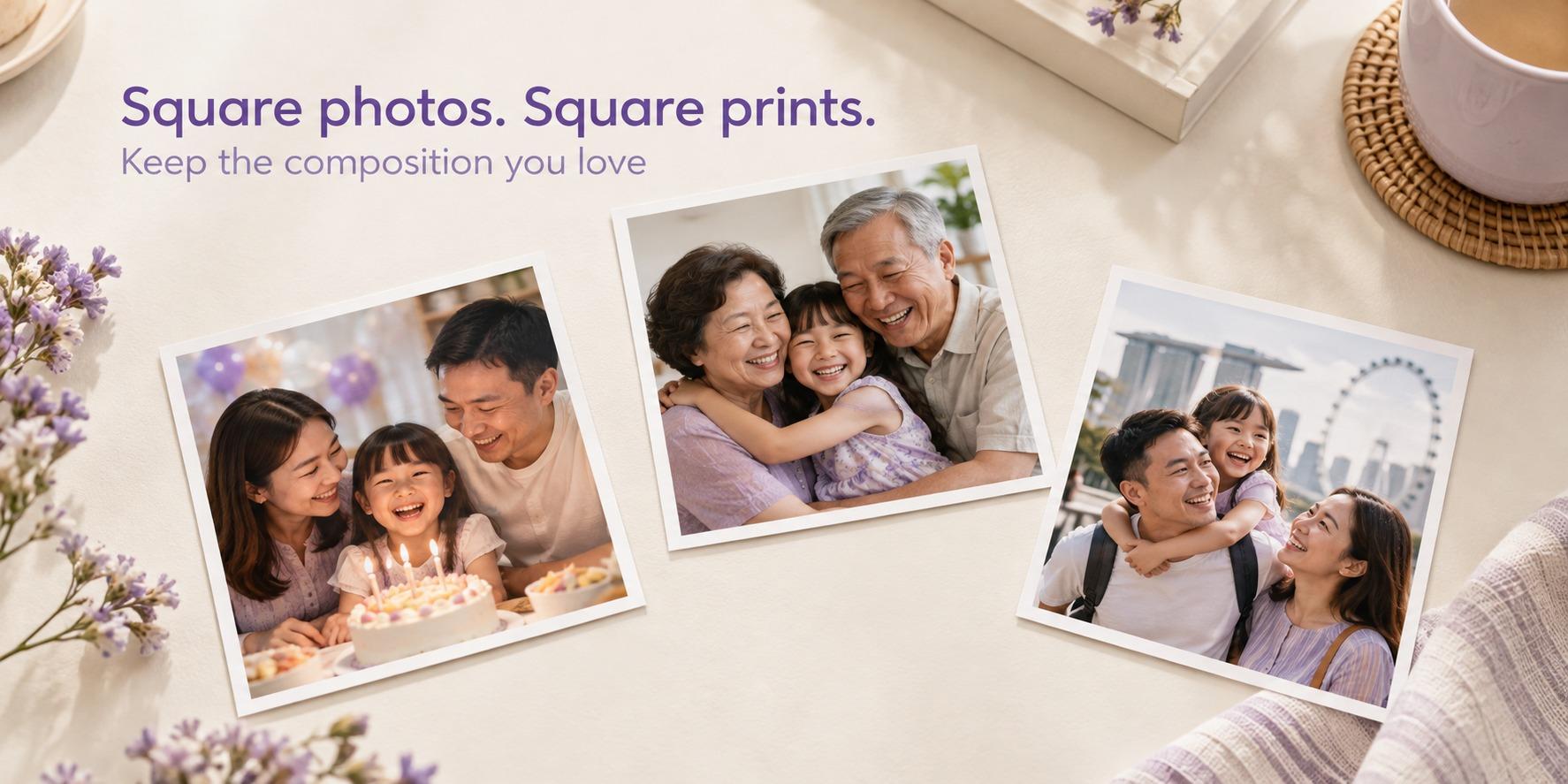
If the image you like is already square, a square print can preserve that composition without forcing it into a rectangular shape. This is useful when you have arranged the picture carefully around a person, a building or a small detail.
Photojaanic lists 4×4 and 2.4×2.4-inch square options. The smaller size suits a compact collection; the larger one gives each picture more room in a display.
Square Prints are specified with an approximately 3 mm white border. Keep that in mind when judging how large the photograph itself will appear.
Compare the options on the square photo prints page.
When should you consider 8×12 or 12×16?
An 8×12 print has the same aspect ratio as 4×6. If a composition works well at 4×6, it can retain that shape at 8×12, provided the original file has enough detail for the larger print.
A 12×16 print has a 3:4 portrait ratio, or 4:3 in landscape. If your source photo has that ratio, the shapes match. A photo with another ratio may need cropping or blank space around it.
Measure the display area first. A paper rectangle cut to the proposed dimensions can help you judge the space without ordering a print. Both sizes are listed with larger photo prints.
Why changing the print size can change the crop
Print size describes the paper. Aspect ratio describes its shape. Two prints can have similar dimensions and still need different crops.
Take a landscape image measuring 1800 × 1200 pixels. Its 3:2 shape matches a landscape 6×4 print. To fill a landscape 10×8 print without stretching, the image needs a 5:4 shape. Keeping the original height gives a crop of 1500 × 1200 pixels, removing 300 pixels of width. A centred crop would remove 150 pixels from each side.
If someone is standing near an edge, that change matters. Repositioning the crop may help, but it cannot preserve everything if the chosen shapes do not match. This example explains the shape change; use a higher-resolution original for a larger print.
| Your photo’s shape | A matching option in this guide | What to check with another shape |
|---|---|---|
| 3:2 landscape / 2:3 portrait | 4×6 or 8×12 | People and details at the sides |
| 4:3 landscape / 3:4 portrait | 12×16 | The areas removed by the new crop |
| 5:4 landscape / 4:5 portrait | 8×10 | The framing around the subject |
| 1:1 square | 4×4 or 2.4×2.4 | What is lost when filling a rectangle |
Review each image in the ordering preview. If you want to keep the entire photo, fitting it inside the chosen shape with blank margins is another approach. Confirm that the layout you want is supported before ordering. Avoid stretching the image to make it fit.
How much image detail do you need?
For a close-viewed photo print, 300 pixels per inch (PPI) is a useful preparation target. Multiply each dimension in inches by 300 to calculate the corresponding pixel dimensions.
| Print size | Pixels at 300 PPI, portrait |
|---|---|
| 4×6 | 1200 × 1800 |
| 5×7 | 1500 × 2100 |
| 8×10 | 2400 × 3000 |
| 8×12 | 2400 × 3600 |
| 12×16 | 3600 × 4800 |
| 4×4 | 1200 × 1200 |
| 2.4×2.4 | 720 × 720 |
These are quality targets, not a guarantee of sharpness. Check the dimensions after cropping, use the original file where possible and remember that a large image can still be out of focus.
Other formats for smaller pictures and keepsakes
Not every project needs one of the classic sizes. The other formats currently listed have their own dimensions and layouts:
Mini photo prints: 3.3×2.1 inches, for a compact format you can work into journals or small collections.
Retro photo prints: 3.5×4.2 inches, sold in sets of 20.
Personalised photo strips: 5×18 cm strips, in a set of five. The listed square image areas are 3.8×3.8 cm each.
Photo postcards: the product selector currently lists 4×6 inches. Check its card layout and product specifications separately from loose prints.
For these products, the outside dimensions do not necessarily describe the individual image area. Look at the layout before choosing photos.
Before you place the order
Measure the album pocket or frame opening, choose a size that suits the space, and review the crop for every photograph. For a collection, try to decide on the format before editing all your files.
Check your selected size, paper finish, quantity and final price. If you need a larger collection for a school or event, use the bulk photo print enquiry page to share your requirements.
Common questions about print sizes
Is 4R the same as 4×6?
Yes. 4R is the common name for a 4×6-inch photo print. The name describes the size, not the paper finish.
Is 5×7 twice the size of 4×6?
No. A 4×6 print has an area of 24 square inches, while 5×7 has an area of 35 square inches. It is larger, but it also has a different shape.
Can I use the same file for 4×6 and 8×10?
You can start with the same original, but review a separate crop for each size. The different aspect ratios may remove different parts of the picture.
Will a larger print make my photo sharper?
No. Enlarging a picture can make blur or missing detail easier to notice. Check the original file before choosing the size.
Which size should I choose if I already have a frame?
Use the frame’s stated photo size and measure its opening. Check whether a mount covers the print edges. The frame’s outside dimensions are not the right measurement for ordering the photo.
Choose the print that fits your plan
For an album, start with the pocket size. For a frame, measure the opening. For a square display, keep the photo’s composition in mind. Then review the file and crop before ordering.
Choose your classic photo print size or create square photo prints.
Photojaanic |




Be the first one to comment